Build License Tiers
Anka License Feature Differences
| Feature | Develop License | Flow License | Build License |
|---|---|---|---|
| Run Multiple VMs | No | Yes | Yes |
| State Snapshot / Suspend VM (Intel only) | No | Yes | Yes |
| USB Device Support (Intel only) | No | Yes | Yes |
| Ability to join your machine as a Node to the Anka Build Cloud Controller | No | No | Yes |
| Ability to push/pull templates to the Anka Cloud Registry | No | Yes | Yes |
| Runs on all macOS hardware models | No (Macbook models only) | No (Macbook and iMac only) | Yes |
| Feature | Basic | Enterprise | Enterprise Plus |
|---|---|---|---|
| Central Registry | Yes | Yes | Yes |
| USB Device control through the CLI | Yes | Yes | |
| TLS/SSL Support | Yes | Yes | Yes |
| Advanced Security Features | Yes | Yes | |
| Export and Import VMs | Yes | Yes |
Anka Build License Tier Datasheet
| Feature | Basic | Enterprise | Enterprise Plus |
|---|---|---|---|
| Cloud Controller with REST APIs | Yes (Single instance of Anka controller included) | Yes (Single instance of Anka controller included) | Yes |
| GitHub Actions | Yes | Yes | Yes |
| Jenkins Plugin | Yes | Yes | Yes |
| TeamCity Plugin | Yes | Yes | Yes |
| GitLab Runner with custom executor | Yes | Yes | Yes |
| BuildKite Plugin | Yes | Yes | Yes |
| Azure DevOps Pipelines | Yes | Yes | Yes |
| HA for Controller configuration setup | Yes (Additional controller/registry instances needed) | Yes | Yes |
| USB Device control through Controller API | Yes | Yes | |
| Priority scheduling of VMs through controller | Yes | Yes | |
| Clustering (Grouping) of Nodes | Yes | Yes | |
| Controller authentication (Certificate, Root Token, and UAK/TAP) | Yes | Yes | |
| Multi-user and group authorization with admin panel + OpenID/SSO support | Yes | ||
| Permission Groups and Resource Management | Yes | ||
| Controller API event logging | Yes |
Enterprise License Features
Node Groups
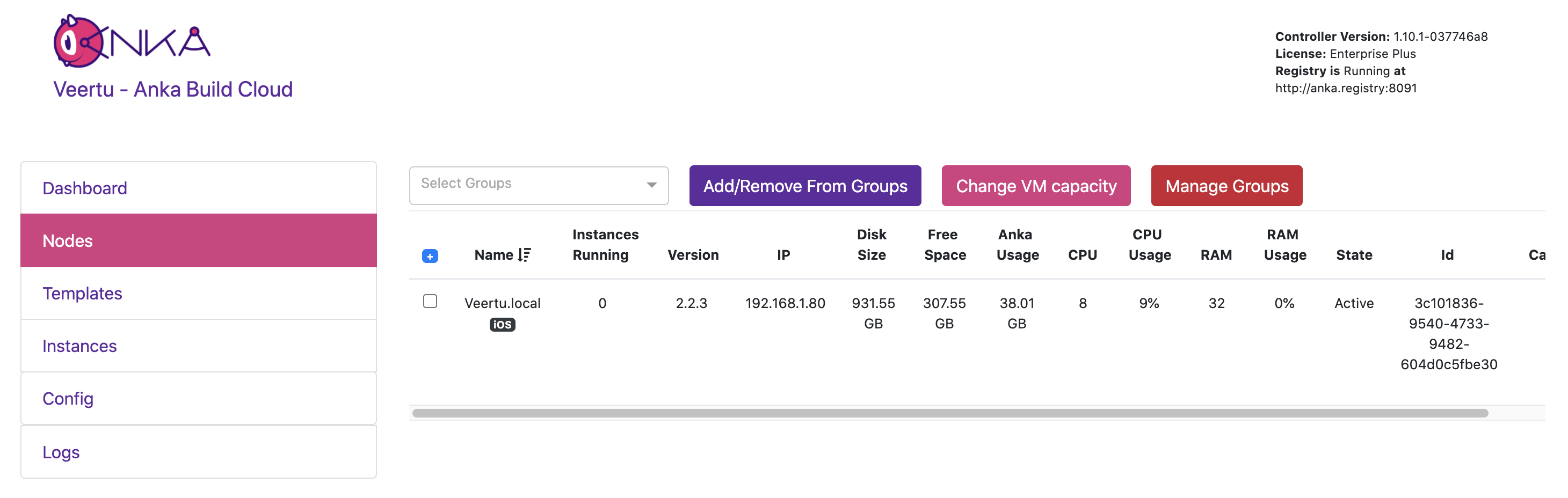
This feature allows users to add Anka Virtualization Nodes to groups which can then be used to limit or isolate CI/CD tasks. You can even create fallback groups should the primary group you assign to a Node reach capacity. This is useful when you have multiple projects in your organization and wish to prevent certain projects from using all available VM slots.
Both the Controller UI and API allow creation and control of groups
You can assign a Node to a group in the Controller Nodes UI, API, or even when joining with
ankacluster join --groups
Priority Scheduling
When requesting multiple VMs through the API, a priority can be assigned. The lower the priority integer, the higher the urgency:
# Request a VM with the highest priority (default priority is 1000)
curl -X POST "http://anka.controller/api/v1/vm" -H "Content-Type: application/json" \
  -d '{"vmid": "6b135004-0c89-43bb-b892-74796b8d266c", "count": 2, "priority": 1}'

{
  "status": "OK",
  "message": "",
  "body": [
    "c983c3bf-a0c0-43dc-54dc-2fd9f7d62fce",
    "e74dfc0e-dc94-4ca2-575e-3219ac08ffa2"
  ]
}
Nodes are constantly asking for tasks in the Controller. They will send a payload with information about itself to the Controller including the Templates/Tags it has, usb devices available, etc, and the Controller will then use that information to score and choose the best task for the node. The
priorityof the start VM request also contributes to this score. This is not a pure FIFO task queue though.If nodes that do not have the Template are getting tasks and having to pull all the time, you should consider using groups and placing these nodes in a fallback group. Then, tell your jobs to target the non-fallback group and they will prioritize the nodes that have the templates.
Controller authentication (Certificate, Root Token, and UAK/TAP)
Authentication support includes:
- Root Token access to the Controller Dashboard
- Certificate (mTLS) authentication for Build Nodes, plugins, API clients, and Anka CLI access to the Registry
- UAK/TAP for programmatic API, CLI, and agent access
With an Enterprise license, each authenticated credential has full access to the system. Fine-grained Permission Groups and Resource Management require Enterprise Plus.
Enterprise Plus License Features
Multi-user and group authorization with admin panel + OpenID/SSO support
Enterprise Plus adds multi-user authentication and authorization for the Controller Dashboard and REST API. OpenID/SSO integrates human access through your identity provider. Map provider groups to Controller Permission Groups to control what each user can do.
Permission Groups and Resource Management
Permission Groups limit which API actions a credential can perform. Resource Management further limits access to specific Nodes and Templates. Enable them with ANKA_ENABLE_CONTROLLER_AUTHORIZATION / ANKA_ENABLE_REGISTRY_AUTHORIZATION and ANKA_ENABLE_RESOURCE_MANAGEMENT. See Authorization for setup details.
UAK/TAP and certificate credentials behave differently under Enterprise Plus: user tokens and cert subjects must use Permission Groups. The root token keeps full access.
Event logging and automated pushing
You can enable Event Logging to create a log of actions performed in the controller. The logs are saved under:
- Mac:
/Library/Application\ Support/Veertu/Anka/registry/files/central-logs/event/event.log - Docker (registry container):
/mnt/vol/files/central-logs/event/event.log
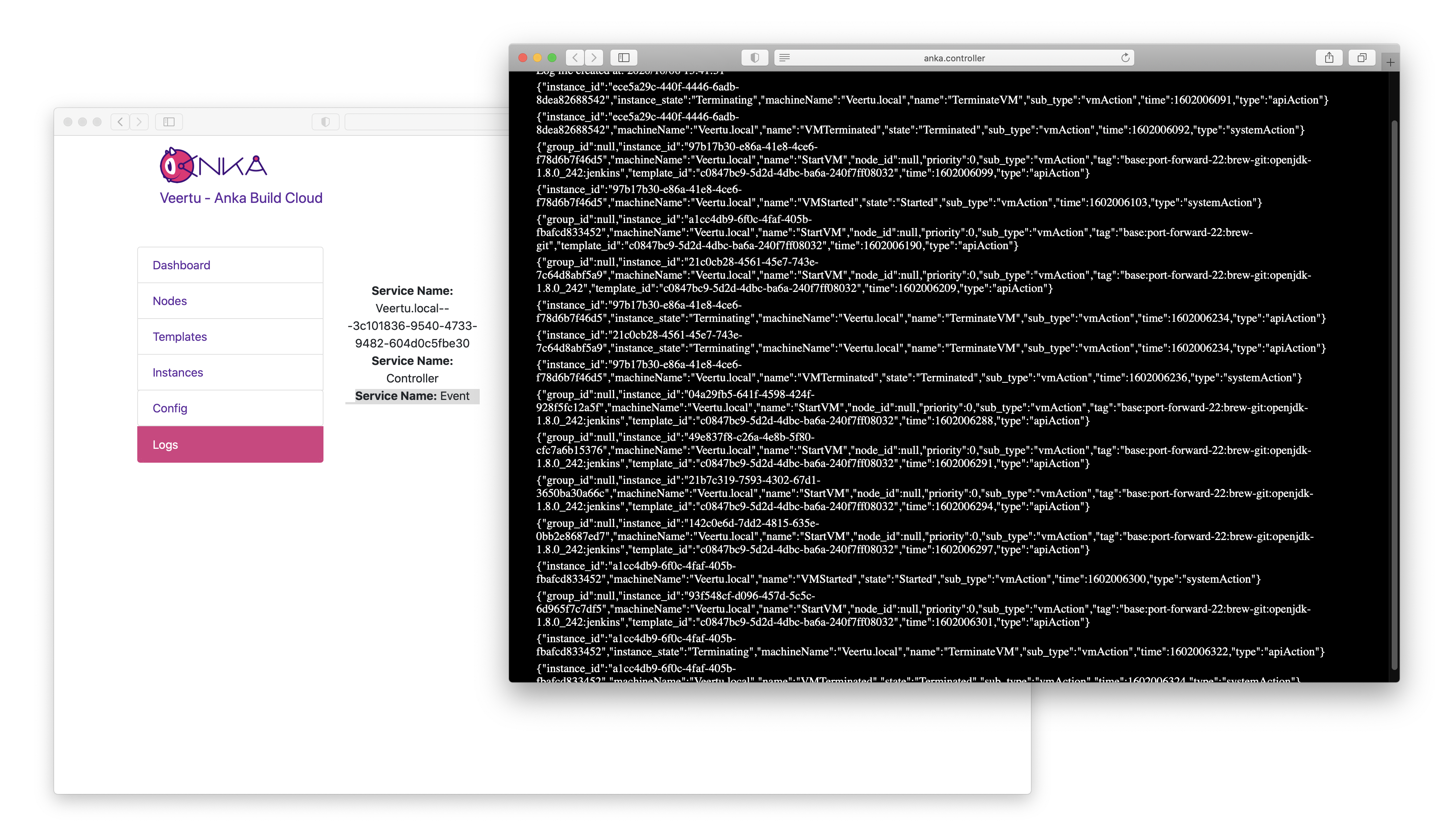
| Logged Events | Type |
|---|---|
| StartVM | apiAction |
| VMStarted | systemAction |
| VMFailedToStart | systemAction |
| TerminateVM | apiAction |
| VMTerminated | systemAction |
| DistributeTemplateToNodes | apiAction |
| TemplatePulled | systemAction |
| DeleteRegistryVm | apiAction |
| ConfigNode | apiAction |
| DeleteNode | apiAction |
| NodeUnregistered | systemAction |
You can also specify an endpoint that consumes JSON and the controller will push the events.